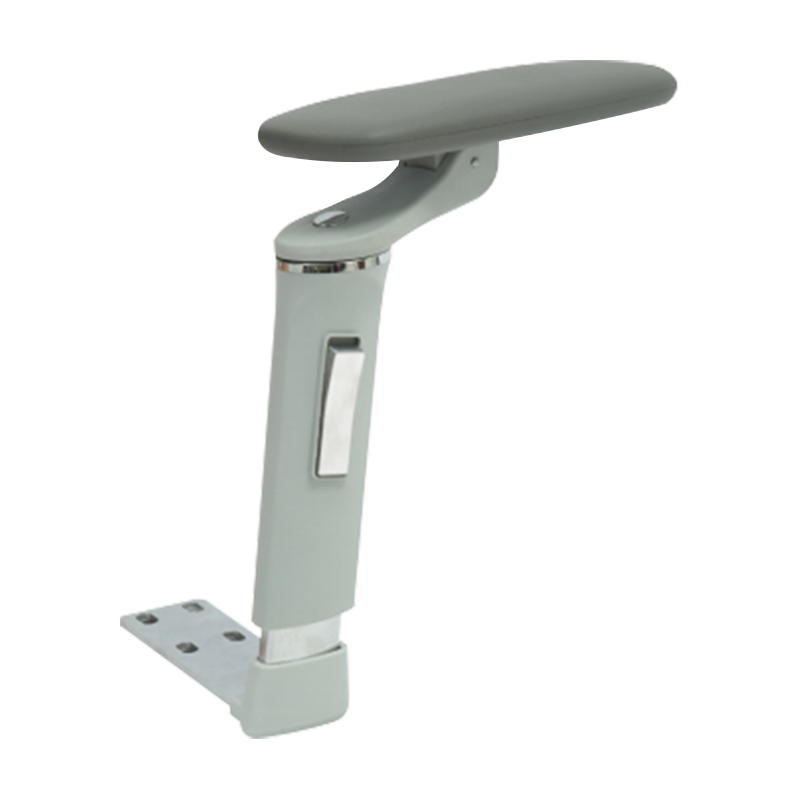
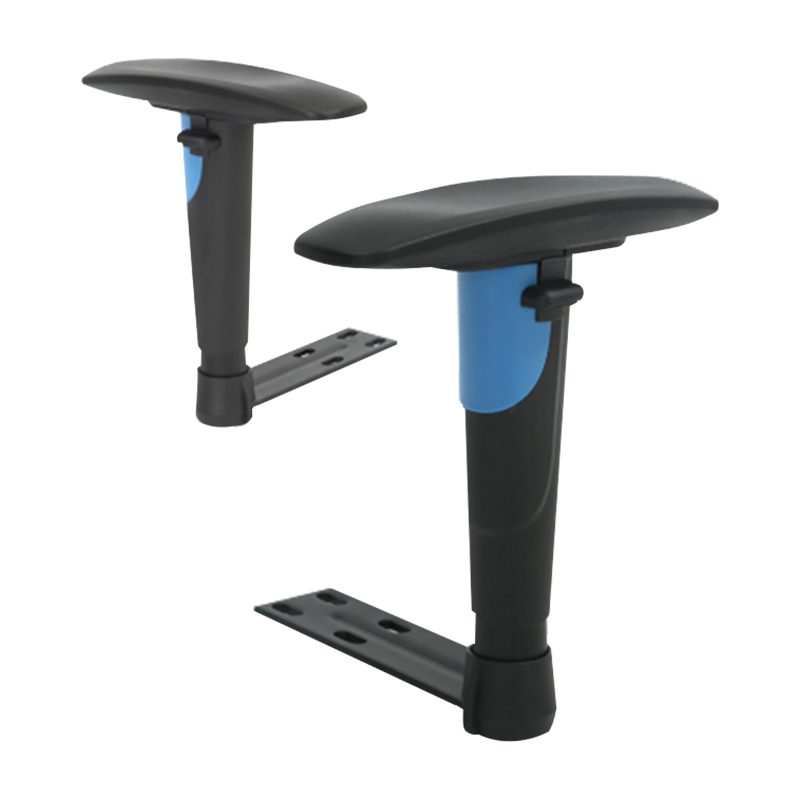
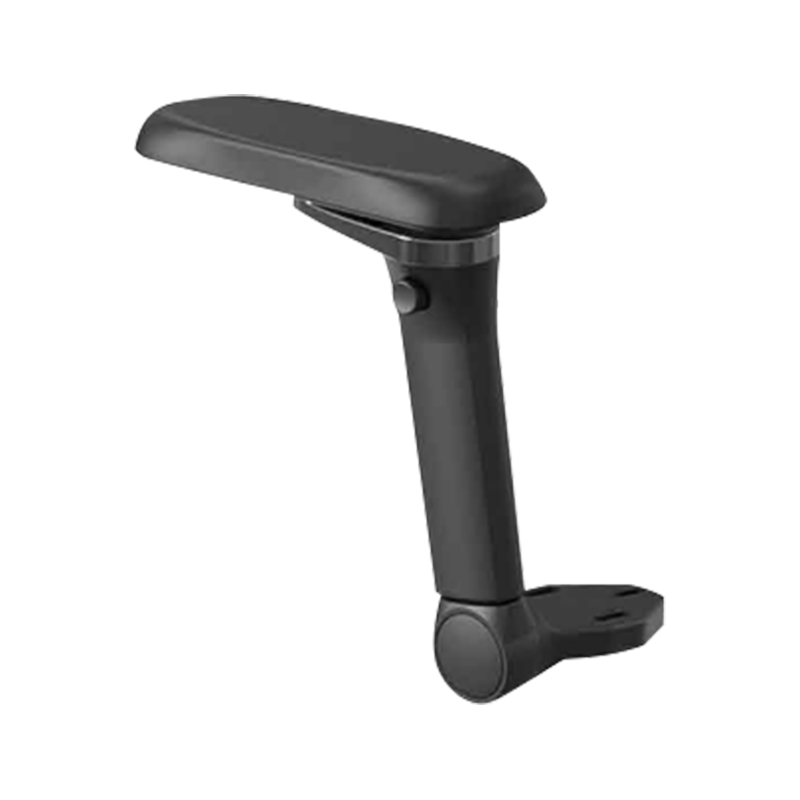
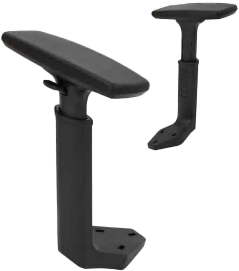
A 3D chair armrest moves in three independent planes — height, width, and pivot angle — giving every user a custom fit that static armrests cannot match. Poor armrest positioning is a leading contributor to shoulder impingement and repetitive strain injury: a 2022 Cornell Human Factors Lab study found that properly aligned armrests reduce trapezius muscle load by up to 24% during sustained keyboard work.
24% Reduction in trapezius load with correct armrest position
3 Axes of independent adjustment on a full 3D unit
30° Maximum pivot angle on premium pivot-pad models
150 kg Static load rating on high-grade nylon frames
Which 3D Armrest Offers Adjustability?
True 3D adjustability covers height, lateral (side-to-side) travel, and pad pivot angle. Some products marketed as 3D only offer two of the three — verify all axes before selecting.
| Adjustment Type |
Axis |
Typical Range |
Who Benefits |
| Height |
Vertical (Z) |
60–100 mm travel |
All users — sets elbow angle at 90–110 degrees |
| Width / Lateral |
Horizontal (X) |
20–50 mm inward/outward |
Narrow or broad shoulder widths; laptop users |
| Pivot / Rotation |
Rotational (Y) |
15–30 degrees |
Forearm pronation; users who type at an angle |
| Forward/Back (4D) |
Depth (W) |
30–60 mm |
Deep desks; users who rest arms while reading |
A full 3D armrest closes the ergonomic gap between a generic chair and a custom-fitted workstation. For users working more than 6 hours per day, the adjustment range directly determines whether shoulder and neck fatigue accumulates or is eliminated.
For call-centre and hot-desk environments where multiple users share chairs, select a tool-free click-adjust mechanism — these allow full reconfiguration in under 20 seconds without loosening bolts or using hex keys. Ratchet-locking height columns and push-button lateral sliders are the two most reliable mechanisms for high-turnover shared seating.
What Materials Improve Armrest Durability?
Armrest longevity depends on three material zones: the structural frame, the pad surface, and the adjustment mechanism. Each zone has different failure modes and optimal material choices.
Structural Frame
Glass-Filled Nylon (PA66-GF30)
30% glass fibre reinforcement raises tensile strength to 180 MPa — roughly 3x standard nylon. Resists creep under sustained static load, which prevents the gradual sag that causes cheap armrests to drop out of position over time. Static load rating: 130–150 kg.
Pad Surface
Memory Foam + PU Leather
High-density 60D memory foam (45–60 kg/m3 density) distributes forearm pressure across the full contact area, reducing peak pressure by up to 40% versus rigid pads. PU leather surface resists sweat, cleaning agents, and UV — service life of 5–8 years in office environments.
Adjustment Mechanism
Zinc-Alloy or Stainless Steel
Ratchet teeth and lateral sliders machined from zinc-alloy die castings hold tolerance to 0.05 mm, ensuring click-stops remain firm after 50,000+ adjustment cycles. Avoid all-plastic mechanisms in armrests rated above 80 kg — lateral flex causes tooth skip and gradual position drift.
Pivot Pad Insert
TPU (Thermoplastic Polyurethane)
TPU pivot pads absorb micro-vibrations and maintain pivot tension without oil or maintenance. Shore hardness of 70A–85A provides firm resistance without locking — the pad rotates under forearm movement but holds position when unloaded. Lifespan exceeds 10 years under normal office use.
How to Install 3D Armrests
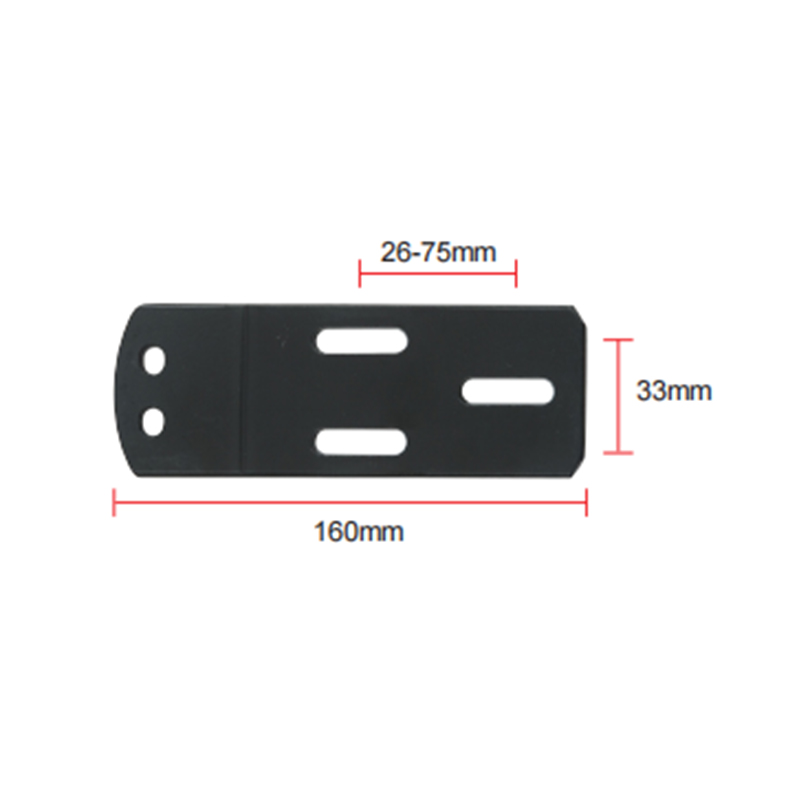
Most 3D armrests mount directly to the existing bolt pattern on the chair seat plate. The standard bolt spacing for office chairs follows the BIFMA X5.1 pattern: two bolts at 57 mm centre-to-centre. Confirm your chair's pattern before ordering.
01
Remove the Existing Armrests
Tilt the chair onto its side. Locate the mounting bolts underneath the seat pan — typically two M8 or M10 bolts per arm. Use a 5 mm or 6 mm hex key to loosen counterclockwise. Support the armrest as the last bolt releases to prevent stress on the seat shell. Set all hardware aside in case the replacement uses the same bolts.
02
Check Bolt Pattern and Thread Size
Measure the centre-to-centre distance of the mounting holes in the seat plate. Standard patterns are 57 mm and 70 mm — confirm which your chair uses. Check thread pitch: M8 x 1.25 is most common; M10 x 1.5 appears on heavy-duty executive chairs. Using the wrong pitch damages the seat pan threads on first installation.
03
Align and Hand-Tighten Both Bolts
Feed both mounting bolts through the armrest bracket and into the seat pan holes. Hand-tighten each bolt two to three full turns before applying tool torque. This prevents cross-threading, which is the most common installation failure. Ensure the armrest column is vertical — misalignment of more than 2 degrees causes uneven pad wear within months.
04
Torque to Specification and Test
Tighten to 12–15 Nm for M8 bolts, 20–25 Nm for M10 bolts. Do not overtighten — seat pan cracks from over-torqued armrest bolts are the leading cause of warranty-void damage in office chairs. Once both arms are fitted, sit in the chair and cycle through all three adjustment axes to confirm smooth operation and positive lock engagement on every click stop.
Which Armrest Suits Office Chairs?
Office chair armrests are not interchangeable — seat pan thickness, shell geometry, and use pattern all determine the right fit. The right 3D chair armrest matches both the chair's mechanical interface and the user's daily task pattern.
T
Task / Operator Chairs
Slim-profile 3D armrests with 60 mm height travel and 20 mm lateral adjust. Pivot range of 15 degrees. Low-profile column keeps arms clear of standard 750 mm desk heights. Best pairing: PA66-GF30 frame with 55D foam pad.
E
Executive / Manager Chairs
Wide T-bar or waterfall pads with 4D adjustability including forward/back depth. Padded PU leather surface for extended sitting sessions. Height travel of 80–100 mm to clear wider seat pan profiles. Load-rated to 130 kg minimum.
G
Gaming / Racing Chairs
4D armrests with extended forward depth of 50–60 mm for controller or peripheral reach. Wider lateral range (40–50 mm) to match reclined postures. Soft PU surface rated for bare-arm contact during extended sessions. Column height typically non-standard — confirm compatibility with the seat shell before ordering.
Er
Ergonomic / Mesh Chairs
Precision 3D armrests with fine-pitch ratchet mechanisms (8–12 mm increments) for millimetre-accurate positioning. Essential for users with diagnosed RSI, shoulder impingement, or post-surgical restrictions. Pair with chairs that allow independent seat pan tilt to maintain armrest-to-desk relationship across posture changes.



 English
  Español
  عربى
عربى 


 Feel free to contact us