Biomechanical Ergonomics Assessment
Integrating an adjustable chair armrest system into a professional workstation is highly beneficial for mitigating cumulative musculoskeletal strain, reducing static loading on the trapezius muscles by up to twenty percent. To determine whether are chair armrests good or bad, the outcome depends entirely on positioning precision: when configured correctly, armrests relieve upper extremity stress, but poorly positioned supports cause shoulder shrugging, forearm compression, and carpal tunnel irritation. Therefore, answering whether should an ergonomic chair have armrests reveals that adjustable supports are highly recommended to stabilize the upper torso, provided they allow the elbows to rest at a natural ninety-degree angle without pushing the shoulders out of alignment.
Trapezius Load Relief20% Reduction
Recommended Flexion90 to 100 Degrees
Adjustability Standard3D / 4D Minimum
Evaluating whether are chair armrests good or bad requires analyzing human sitting posture and upper-body tracking over long periods. Without supportive armrests, the human arms—which account for approximately ten percent of total body weight—hang continuously from the shoulder girdle. This suspended weight places a constant static load on the upper trapezius and levator scapulae muscles, leading to chronic myofascial pain, tension headaches, and down-chain cervical spine compression.
Conversely, armrests become harmful if they are non-adjustable or poorly configured. Rigid, overly high armrests force the shoulders into a chronic shrugged position, compressing the brachial plexus nerve bundle. Conversely, overwide armrests force users to abduct their elbows away from the torso, straining the rotator cuffs. The key to healthy support is multi-directional adjustability, allowing the armrest pads to mimic the natural resting position of the forearms during active typing tasks.
When configuring high-performance corporate seating, the question of whether should an ergonomic chair have armrests is answered affirmatively by modern occupational health guidelines—with strict requirements for custom adjustability. Fixed T-arms or loop arms found on budget seating do not meet ergonomic criteria because they cannot adapt to different human proportions or changing desk heights.
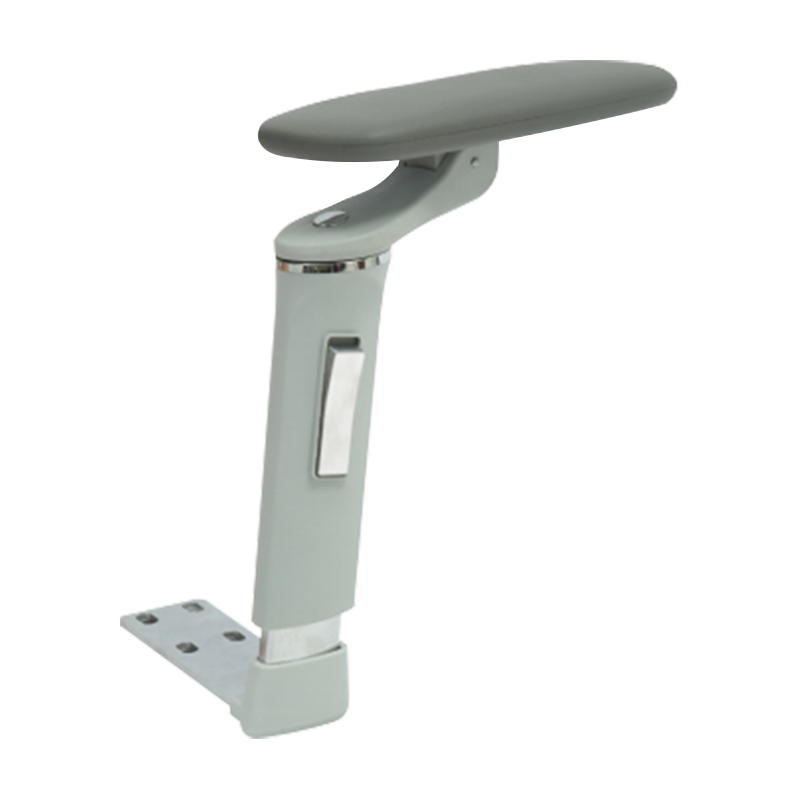
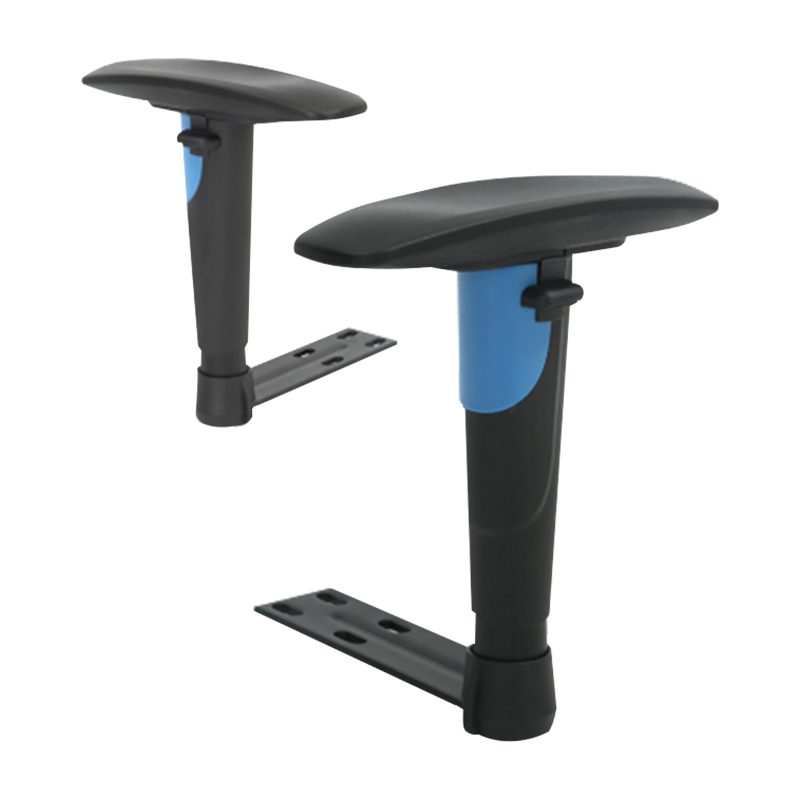
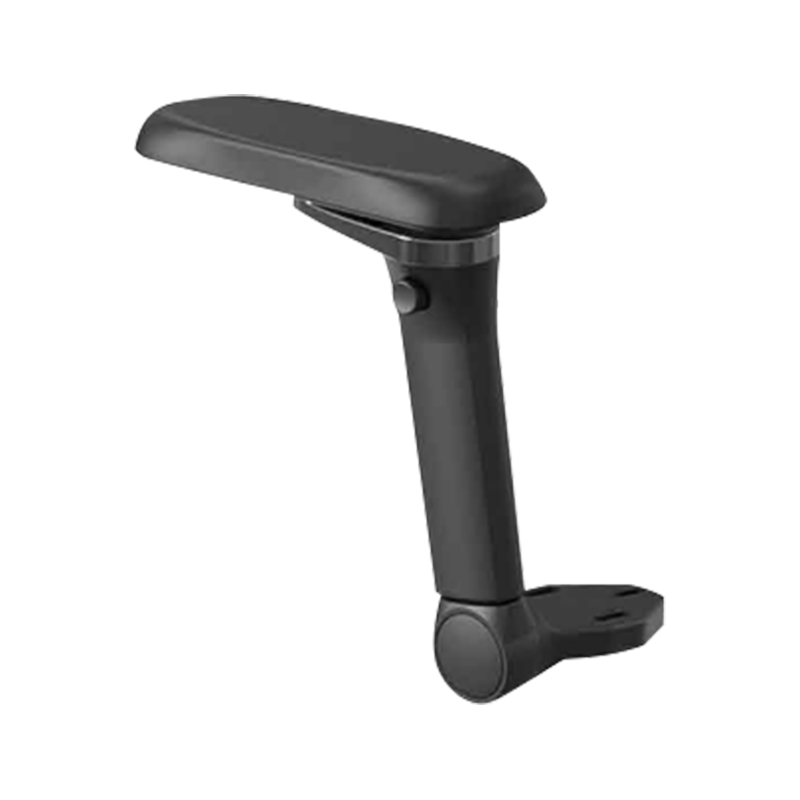
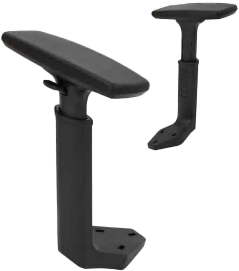
A truly ergonomic chair must include armrests with independent height, depth, and pivot tracking adjustments, often classified as 3D or 4D armrest mechanisms. These adjustments allow users to pull the chair deep under the desk edge while keeping the forearm pads flush with the work surface. This continuous support path minimizes forearm extension and keeps the wrists in a neutral position, reducing mechanical pressure on the carpal tunnel during long computer sessions.
Calculating how high should chair armrests be requires measuring the user's specific seated elbow height. This is the vertical distance from the seat cushion to the underside of the forearm when the elbow is bent at a ninety-degree angle. The goal is to set the support surface to match this height exactly, creating a level path from the armrest directly onto the keyboard tray or desk surface.
| Petite Profile (under 165 cm) |
170 to 210 millimeters |
Elbows flexed at 90 degrees, shoulders relaxed, arms held tight to torso. |
Armrest must drop low enough to slide cleanly beneath lower desk drawers. |
| Median Profile (166 to 182 cm) |
210 to 250 millimeters |
Elbow angle balanced between 90 and 100 degrees for optimal blood flow. |
Armrest surface sits perfectly flush with standard 740 millimeter desk heights. |
| Tall Profile (above 183 cm) |
250 to 300 millimeters |
Extended height range avoids leaning or slumping to reach support pads. |
Requires coordination with an adjustable standing desk to prevent wrist drop. |
Ergonomic Clearance Directive: To verify your armrest height setup, execute the float test: sit upright with your shoulders completely relaxed and hands on your keyboard. Your forearms should rest lightly on the armrest pads without your shoulders lifting upward or your elbows pulling outward. If you must lean to one side to reach the pad, the armrests are set too wide and require inward tracking calibration.
Facility managers frequently ask: can you add armrests to a chair that was built without them? Most commercial office seating features a standardized universal mounting layout embedded underneath the seat core. This pattern usually consists of three threaded steel inserts arranged in a triangle on both sides of the seat frame, allowing for post-purchase retrofitting.
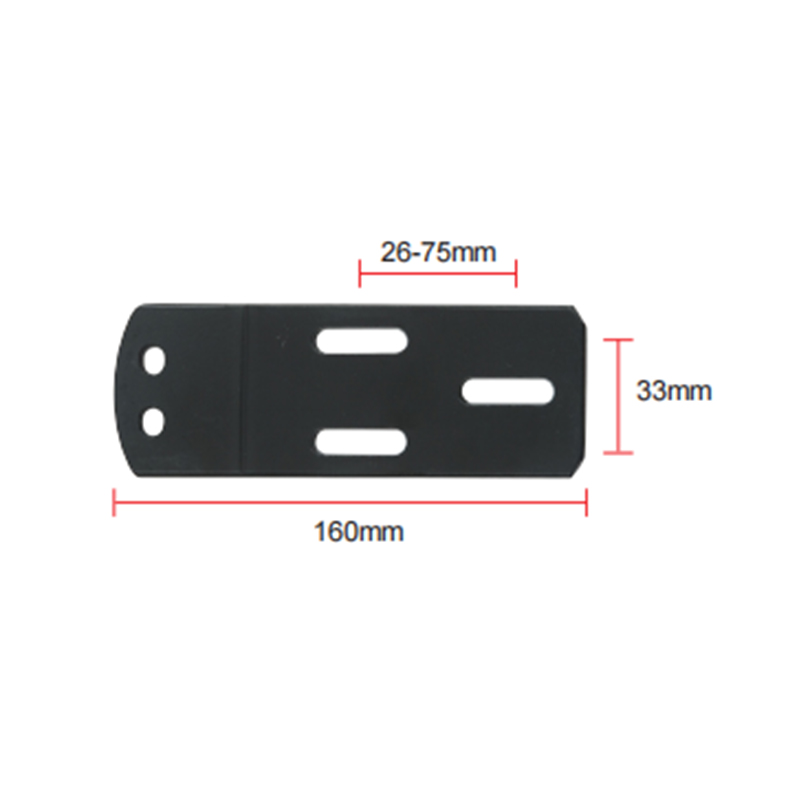
These retrofits bolt directly into the pre-drilled seat pan inserts using heavy grade-8 hex screws. They feature slotted horizontal mounting plates that allow for up to fifty millimeters of width adjustment. This adjustment lets installation crews customize the distance between the arms to match the user's shoulder width, ensuring proper alignment.
For chairs without pre-drilled bottom inserts, clamp-on arm platforms can attach directly to the edge of the desk surface or wrap around the existing chair frame. These units create an extended support shelf that stabilizes the wrist and forearm during heavy mouse usage, making them a practical choice for non-standard or antique furniture.
Standard Maintenance and Retrofit Installation Checklist
When updating corporate seating infrastructure or adding adjustable arm modules to existing office chairs, follow these precise mechanical steps:
Phase I: Seat Pan Inversion and Bolt Alignment
Place the chair upside down on a clean, soft surface to protect the upholstery. Locate the factory-installed threaded inserts. Align the slotted baseplate of the replacement armrest bracket over the holes, ensuring the forward tilt arrow on the bracket points toward the front edge of the seat pan.
Phase II: Width Customization and Initial Torque Fixing
Measure the shoulder width of the user and adjust the armrest stems inward or outward along the slotted channel to match. Thread the mounting bolts by hand to prevent cross-threading, then tighten them securely using an Allen key to a seating torque of twelve Newton-meters.
Phase III: Pad Calibration and Friction Upkeep
Return the chair to its upright position and test the spring-loaded height buttons and tracking sliders. Apply a thin layer of dry PTFE lubricant spray to the inner track rails every twelve months to ensure smooth movement and prevent the plastic components from binding over time.



 English
  Español
  عربى
عربى 


 Feel free to contact us